
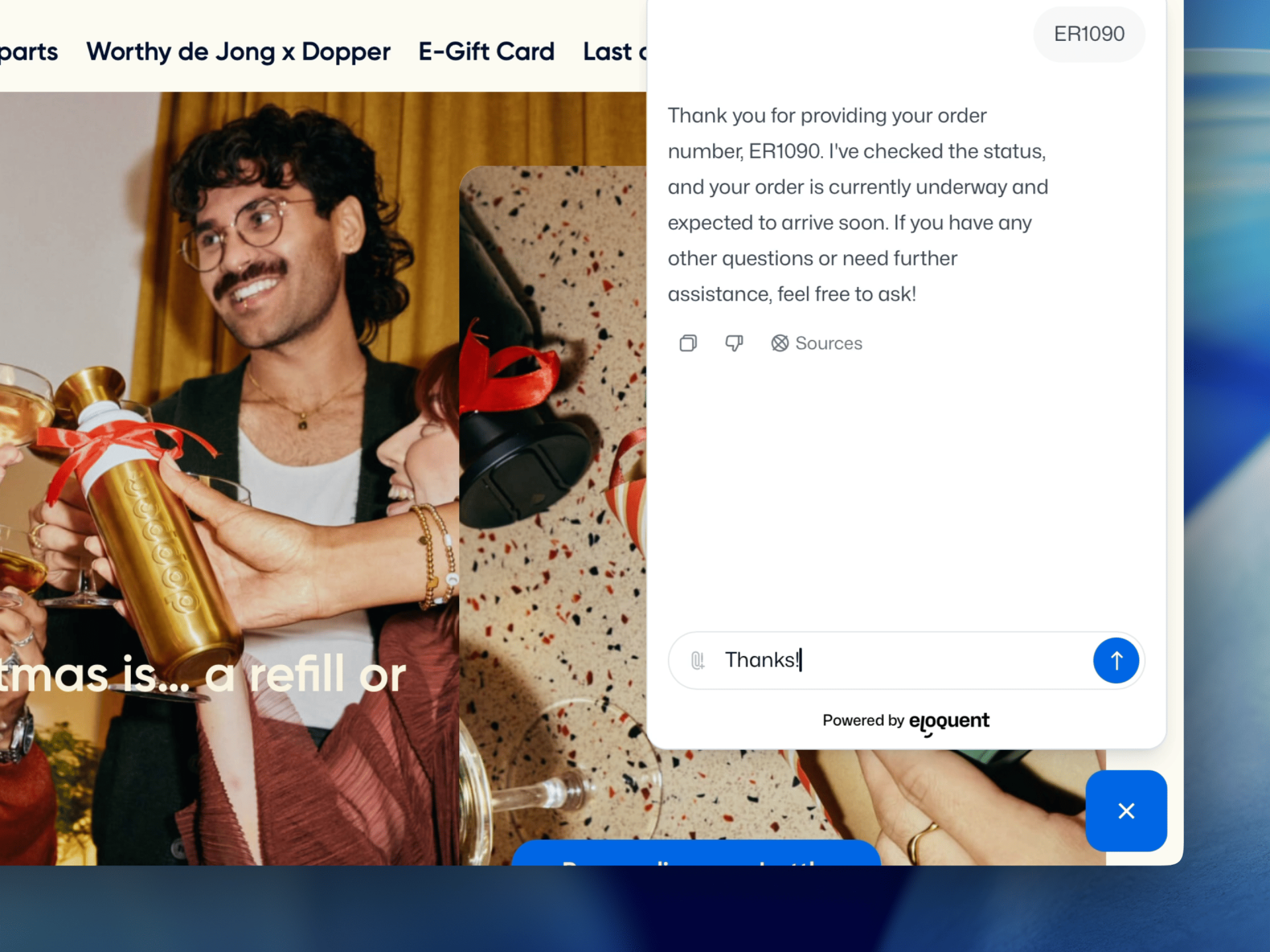
Eloquent ❤️ Shopify
Answer support questions and identify companies with Eloquent's AI chatbot for Shopify

Answer engine
Answers FAQs and “where do I find…” questions using your existing Shopify pages (product pages, collections, shipping & returns, store policies, FAQs, documentation, and B2B wholesale pages).

Recommend pages
Recommends the right product, collection, or help page when the best answer is already on your Shopify store, so visitors don’t have to click around.

Collect data
Collects details before handing off (like email, topic, order number, product name/SKU, or urgency) so your team doesn’t start from scratch.

Identify companies
Identifies company visitors by matching incoming traffic to a company profile and enriching conversations with firmographic context.
Trained on your Shopify storefront content (no manual FAQ writing)
Eloquent learns from the content you already publish in Shopify, so your chatbot answers the way your storefront does and stays up to date as your store changes.
3-step setup
- Connect your Shopify store: Enter your store domain. Eloquent stores your sitemap so it knows which pages to learn from.
- Choose what to include: Index your full storefront or select only specific sections (for example product pages, collections, policies, help center pages, or B2B/wholesale content). You can also exclude URLs you don’t want it to use.
- Stay accurate automatically: Eloquent checks for changes every 24 hours and refreshes the chatbot’s knowledge, so updates to your Shopify content are reflected without extra work.
How to add the chatbot to Shopify
Eloquent always runs via one JavaScript snippet, but teams add that snippet in different ways depending on how they manage their Shopify theme and analytics stack.
Option A: Add the snippet to your theme (recommended)
Best if you want the fastest, simplest path and consistent site-wide loading.
- Copy the snippet from the Deploy menu in your agent
- Add it to your theme’s
theme.liquid(site-wide), ideally inside the<head> - Publish and verify the widget appears where you want it
This works with most Shopify themes, as long as the snippet is included site-wide. If you don’t manage your theme yourself, you can send the steps to your developer or agency.
Option B: Google Tag Manager (GTM)
This plays nicely if your Shopify store already manages scripts through GTM. It does require some knowledge about GTM.
- Create a Custom HTML tag
- Paste the snippet
- Trigger on All Pages (or only selected paths if you want limited rollout)
Option C: Use a Shopify app or theme integration (no-code)
If you don’t want to edit theme files, you can use a Shopify app (or a theme integration) that lets you add custom scripts site-wide without touching code. Look for an app that supports adding scripts to the <head> and loading on all storefront pages.
Note: App availability changes frequently, so treat your chosen app as a “script manager” and make sure it supports global <head> injection.
- Shopify App Store search for “insert code” / “custom scripts” apps
- Shopify theme extension basics (for developers)
With these apps, you typically:
- Paste the Eloquent snippet into the app’s Header / Head (or equivalent) field
- Save changes
- Test on a live storefront page (and in an incognito window) to confirm it loads
Common Shopify setup issues (and quick fixes)
Shopify stores often use analytics pixels, consent tools, and script optimization. These quick checks make sure your chatbot loads consistently and learns from the right storefront content.
Script loading & optimization
Some setups defer or bundle scripts. If the widget doesn’t appear right away, make sure the chatbot snippet isn’t being blocked by optimization settings or a strict Content Security Policy.
Snippet placement (site-wide <head>)
The AI chatbot needs to be loaded across the whole storefront. Make sure the snippet is included in the global theme layout (for example theme.liquid) so it appears consistently on all pages.
Preview theme vs live theme content
If you’re testing in a theme preview, keep it separate from your live store so the chatbot only learns from the content you want customers to see. Exclude preview or password-protected URLs from indexing if needed.
Frequently asked questions
Here are the most common questions about using Eloquent on Shopify, how setup and deployment works, and what you can expect once it’s live.

Human handoff & follow-up
When a visitor needs a person, whether it’s a support issue or buying intent, Eloquent can collect the right details, summarize the context, and route the conversation to the right team. You decide what triggers a handoff, which questions are asked before routing (email, topic, order number, product/SKU, company, role, use case, timeline), and where it should go (for example email, Slack/Teams, helpdesk, webhook, or CRM logging when configured).